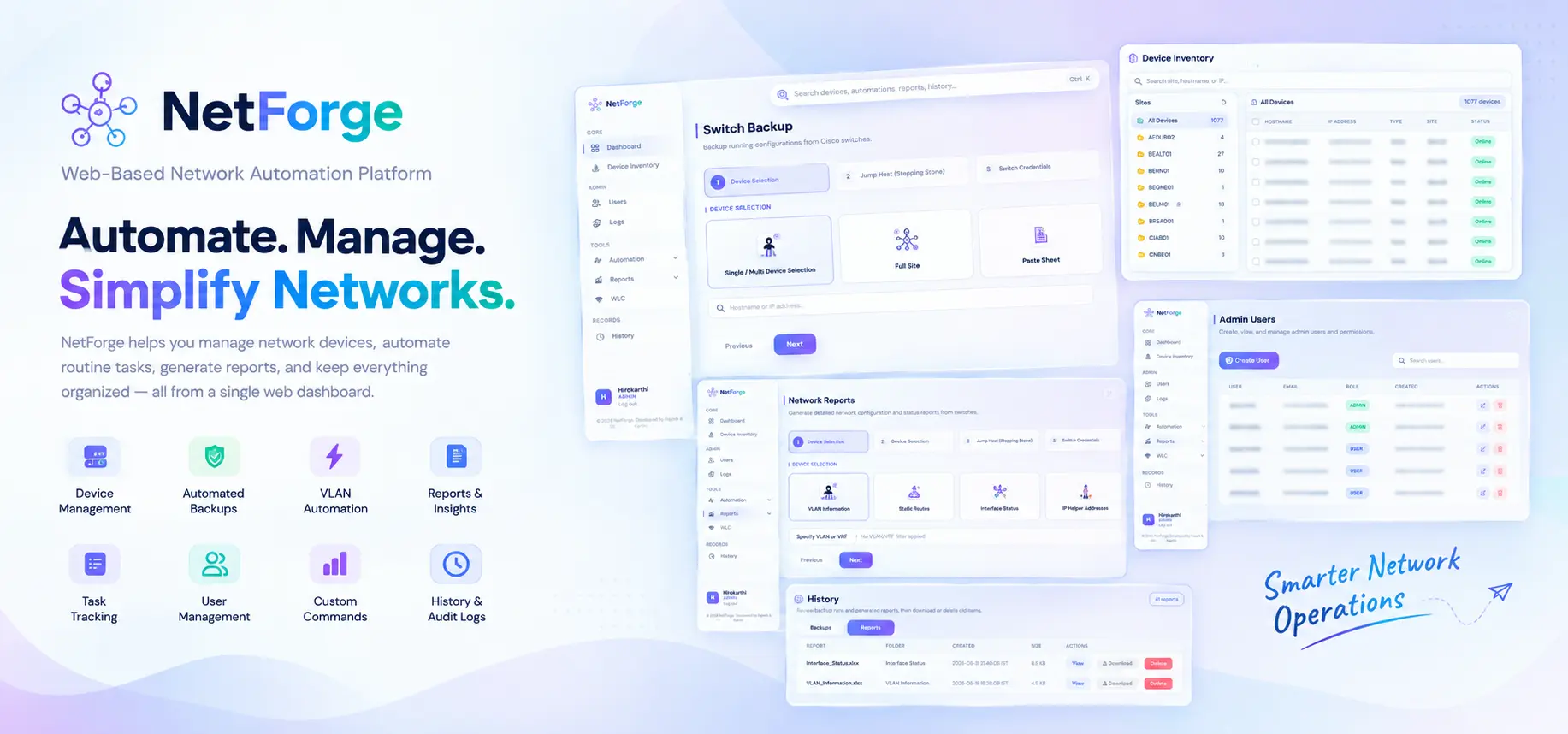
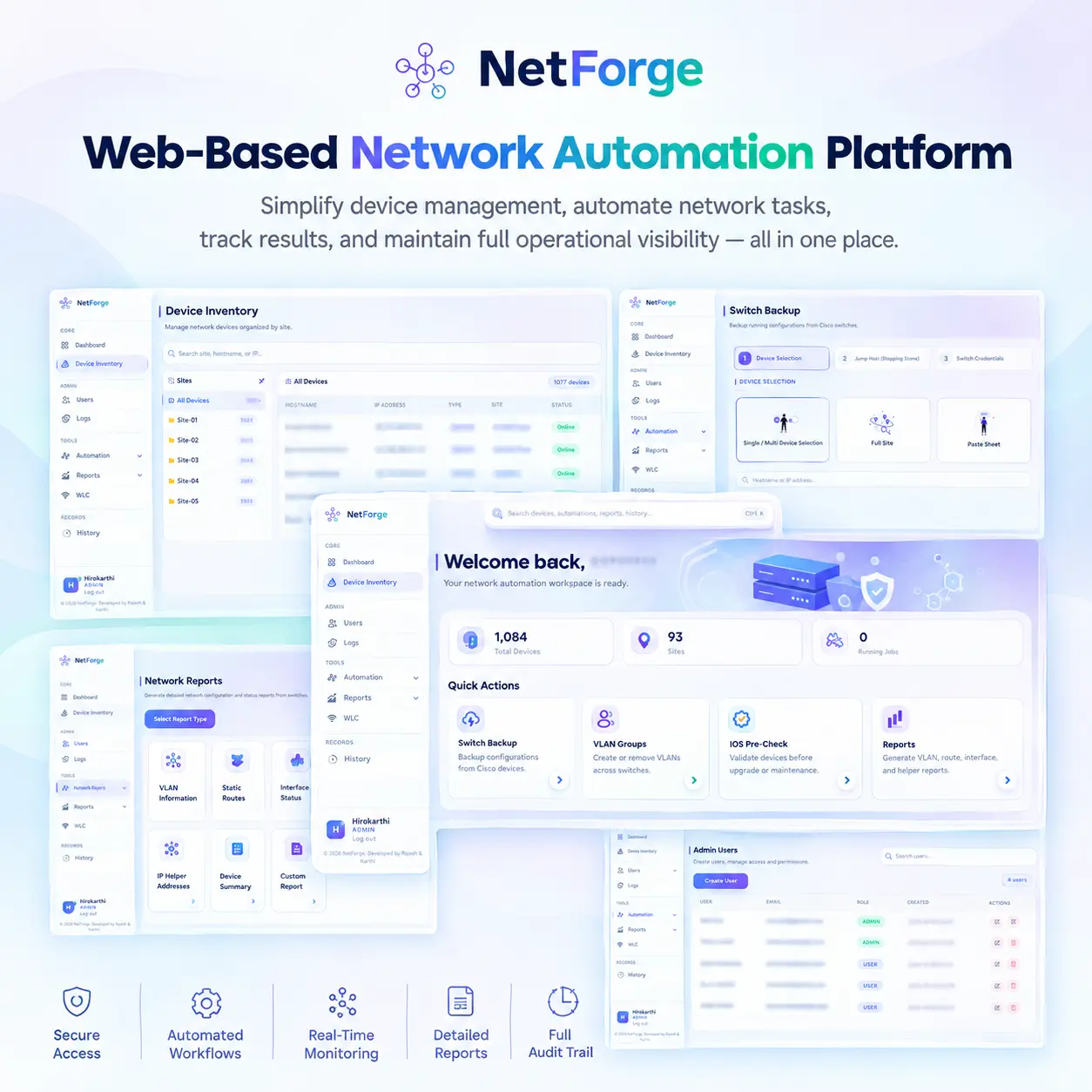
A centralized network automation tool that simplifies device management, switch backups, IOS pre-checks, VLAN automation, custom commands, reporting, and task tracking through a single web dashboard.
Key Features
Core capabilities that simplify network management, automation, monitoring, reporting, and operational control.
Device Inventory
Add, import, search, and organize network devices by site.
Switch Backup
Automatically back up configurations from selected switches or entire sites.
IOS Pre-Check
Perform device validation and collect required information before maintenance or upgrades.
VLAN Automation
Create or remove VLANs across multiple switches through a centralized interface.
Custom Commands
Execute network CLI commands remotely, including through a jump server.
Network Reports
Generate reports for VLANs, routes, interfaces, and IP helper addresses.
WLC Operations
Provides a dedicated interface for wireless controller information and operations.
Live Task Tracking
Monitor task progress, success/failure status, output previews, and results in real time.
Engineering Behind NetForge
The technologies powering NetForge’s web application, network automation, data processing, and user interface.
Backend & Application
Python
Flask
SQLite
Powers the core application, web backend, business logic, and data storage.
Network Automation & Connectivity
Netmiko
Paramiko
Modular Python Scripts
Provides network-device connectivity, SSH access, and remote CLI command execution.
Data Processing & File Handling
Pandas
OpenPyXL
CSV / Excel
Handles structured network data and supports CSV/Excel-based device inventory workflows.
Frontend & UI
HTML
CSS
JavaScript
Builds the browser-based dashboard, interface, styling, and interactive user experience.
How NetForge Works — Workflow
A streamlined workflow for managing devices, automating network tasks, tracking results, and maintaining operational history.
1. Authentication & Inventory
Login → Manage Devices → Select Devices
Users log in, manage the device inventory, and select devices or sites for automation.
2. Automation & Connectivity
Select Task → Connect → Execute Commands
Users choose an automation task, and NetForge connects to network devices to execute commands.
3. Live Execution & Results
Track Task → Monitor Progress → Collect Output
The system tracks task progress and displays execution status, successes, failures, and device outputs.
4. Storage & Audit
Store → Download → History & Audit
Results are stored for download and later review, while important activities are recorded through audit logs.